 Patrick Cooper
 Key Takeaways
- The owner's manual covers settings and cleaning; the tech sheet, not the manual, answers fault code questions.
- The model and serial plate sits on the appliance frame, not on a removable panel, so it survives cosmetic changes.
- A folded tech sheet is often tucked inside the appliance, but not on every model — the manufacturer's own model-specific documentation fills the same role otherwise.
- General online references are sometimes wrong about what a code means on this specific brand — check this site's own error code library instead.
- Confirming warranty status before searching for documentation can change who performs the repair and what it costs.
The Bottom Line
Start with the model and serial plate on the appliance frame, then check for a folded tech sheet inside before searching online. A technician can bring the right documentation by model number if you'd rather not search yourself.
The search is almost always driven by the same need: an appliance is misbehaving, the owner's manual in the kitchen drawer covers cycle settings and nothing else, and what's actually needed is the document — and the model number — that tells a technician what's happening at the component level. Unlike jenn-air or kenmore, this site hasn't had a dedicated guide to that lookup process before, even though the underlying documents work the same way across this brand's appliances.
| Document | What it contains | Where to find it |
|---|---|---|
| Owner's manual | Controls, cycles, cleaning, basic troubleshooting | Shipped with the appliance; downloadable by model number |
| Installation instructions | Clearances, electrical and water connections | Shipped with the appliance |
| Tech sheet | Wiring, fault code list, diagnostic mode entry | Often attached inside the appliance |
| Model and serial plate | The numbers every other lookup depends on | On the appliance frame, usually behind a door or panel |
Electrolux Repair Manual Lookup: Which Document Actually Answers a Fault Code Question?
The tech sheet, not the owner's manual, is what answers a fault-code-level question, since it carries the wiring diagram and the diagnostic procedures rather than just cycle descriptions. The owner's manual is genuinely useful for settings and cleaning schedules, but it won't tell you what an E63 or an F11 means at the component level — that's exactly why this site maintains a separate error code library, organized by appliance rather than by manual, since the manual alone rarely resolves a fault code question.
This distinction trips people up more than it should, because both documents often ship in the same box, and it's easy to assume that whichever one is easiest to find — usually the owner's manual, since it's the thicker, more prominent booklet — must be the complete reference. In practice, the installation instructions and the owner's manual together cover perhaps a third of what a technician actually needs to diagnose a fault; the rest lives in documentation aimed at service, not at daily use.
Where Do I Find the Model and Serial Number?
The plate sits on the appliance frame itself rather than on a removable panel, which means it survives door swaps and cosmetic changes over the appliance's life. The exact spot varies by appliance type, so it's worth checking the most likely locations first before assuming the plate is missing.
- Wall oven and range: on the frame behind the door, or along the top or side of the cavity opening.
- Dishwasher: on the tub edge, visible with the door open.
- Refrigerator: inside the fresh food compartment, often on a side wall or the ceiling of the liner.
- Dryer and washer: on the frame behind the door opening, or on the rear panel.
- Wine refrigeration and ice maker: behind the door or the front grille, on the appliance frame.
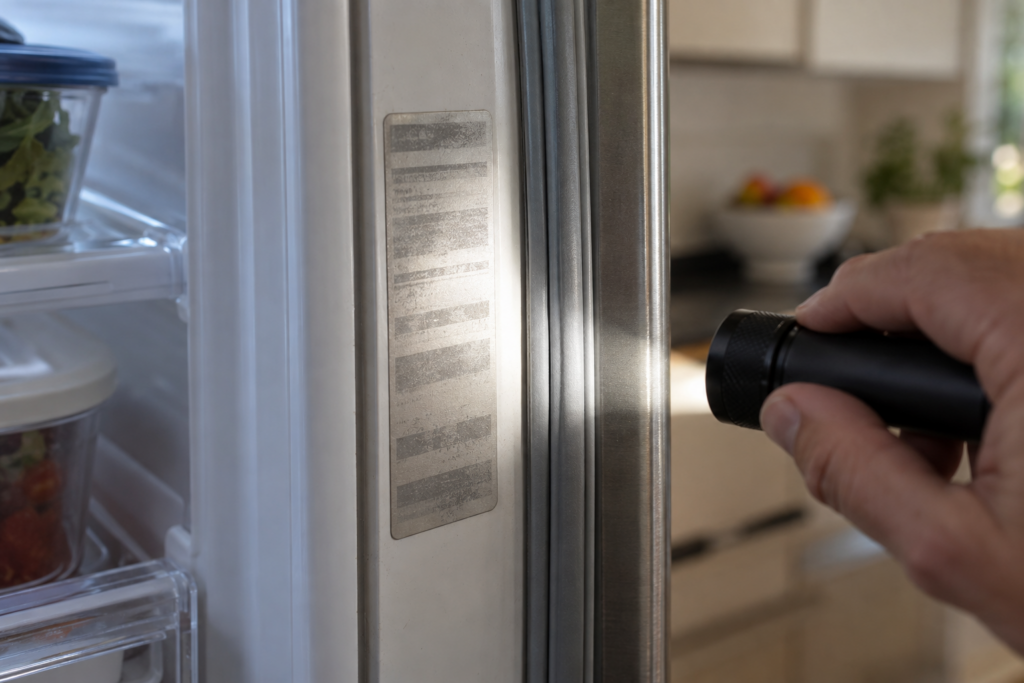
Photograph the plate the moment you find it, since reading it later at an awkward angle with a flashlight is a task nobody enjoys repeating. It's worth doing this for every major appliance in the kitchen and laundry room in one sitting, rather than waiting until each one individually breaks down and sends you searching under time pressure.
Is the Tech Sheet Always Inside the Appliance?
Often, yes, on appliances where the manufacturer folds a wiring and fault-code reference sheet into the unit itself, tucked behind an access panel or the control housing. It isn't universal across every model this brand has sold, and where it isn't present, the manufacturer's own model-specific documentation, looked up online by the exact model number, fills the same role. Either way, the lookup starts the same place: the model number from the rating plate, not from memory or an old receipt.
- Find and photograph the model and serial plate before doing anything else.
- Check behind an access panel for a folded tech sheet, disconnecting power first if you need to remove anything.
- If no sheet is found, look up documentation directly by the exact model number rather than a general product name.
- Cross-check any fault code you find against this site's own Electrolux error codes list, since general references online are sometimes wrong about what a given code means on this brand.
Why General Code References Get This Brand Wrong So Often
Because appliance manufacturers reuse simple alphanumeric codes — E10, F11, SY — across completely different product lines and sometimes across different brands entirely, so a general search result can easily surface a meaning from an unrelated model or even an unrelated manufacturer. A code that means one thing on an Electrolux dishwasher can mean something entirely different on an Electrolux dryer, and a page that doesn't specify the appliance type is guessing at best. That's exactly why this site organizes its own error code library by appliance first, code second, rather than the other way around.
- Always confirm the appliance type matches before trusting any code explanation you find.
- Treat a code meaning from a different brand's forum as unreliable, even if the code characters look identical.
- Prefer this site's own code pages, which are organized by appliance and sourced directly from each page's own title and description.
- When in doubt, confirm with a technician rather than acting on an uncertain code meaning found online.
Keeping Your Documentation Organized Going Forward
Once you've located a model number, a tech sheet or a manual for one appliance, it's worth setting up a simple system to keep that information handy for every major appliance in the house, rather than repeating the same search from scratch each time something breaks. A folder of photos on your phone, organized by room or appliance type, takes a few minutes to set up and saves considerably more time the next time any one of them needs service. It also means you're not standing in front of an open panel trying to remember which drawer the original paperwork ended up in, months or years after the appliance was installed.
If You'd Rather Not Search Yourself
There's no obligation to go looking for documentation on your own, especially on an appliance still under warranty, where opening a panel yourself is a bad idea regardless of how confident you feel. A technician arrives with access to this brand's documentation by model number, and confirming your warranty status first — covered in our warranty coverage guide — can also affect who does the repair and at what cost. Our warranty and parts service coordinates with active coverage where it applies, and a standard diagnostic visit starts from $120 where warranty doesn't apply.
Send us the model number and the fault code, if there is one, when you book a visit or send us the details, and the research happens before the technician arrives.